Key Takeaways
- A poorly maintained website can lose up to 40% of its visitors through slow speeds, broken features, and security warnings alone.
- 61% of websites that get hacked are running outdated software — and the average cleanup costs £300–£800 before you count the lost business.
- If your contact form stopped working three months ago and you didn't notice, you've been losing enquiries every week without knowing it.
- Website maintenance isn't technical housekeeping — it's the difference between a site that generates business and one that quietly drives customers to your competitors.
- A professional maintenance service costs £50–£100/month. Fixing a hacked or broken site after the fact costs 5–10x more.
Your website could be losing you customers right now — and you'd have no idea. Broken forms, slow pages, outdated plugins, and expired security certificates don't announce themselves. They just quietly push visitors toward your competitors.
This post gives you seven specific warning signs that your site needs professional website maintenance, backed by hard data on what each one costs your business. We see these problems every week at Loxvik when businesses come to us after months of invisible damage — and in almost every case, the fix would have cost a fraction of what the neglect did.
1. Your Site Takes More Than 3 Seconds to Load
This is the silent killer. Your site might look fine to you, but if it loads slowly, visitors are leaving before they see a single word.
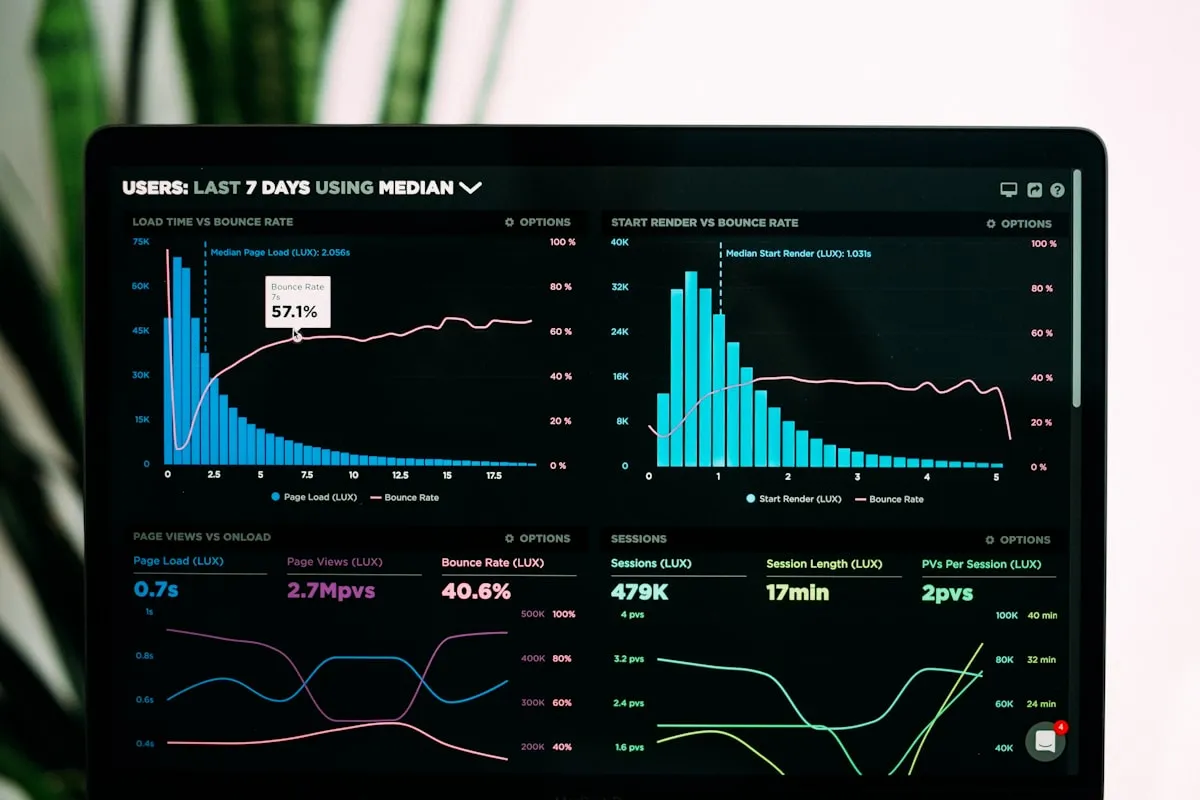
The data is stark: 53% of mobile visitors abandon a page that takes longer than 3 seconds to load. And it gets worse the longer they wait — sites that load in 5 seconds see a 38% bounce rate compared to just 7% for sites loading in 1 second.
If your site takes longer than 3 seconds to load, you're losing more than half your mobile traffic before they see a single word.
For small businesses, this translates directly into lost revenue. Website conversion rates drop by 4.42% for every additional second of load time. If your site gets 500 visitors a month and loads in 5 seconds instead of 2, you could be losing a dozen enquiries every month without realising it.
Speed degrades over time. Images get added without compression. Plugins accumulate. Hosting environments change. Without regular performance monitoring, a site that launched fast can slow down gradually — too slowly for you to notice, but fast enough for your visitors to go elsewhere.
"Google now treats Core Web Vitals — including loading speed, interactivity, and visual stability — as official ranking signals. Sites that fail these thresholds don't just lose visitors; they lose search visibility too."
— Google Search Central, Core Web Vitals documentation
What to do: Run your site through Google PageSpeed Insights right now. If your mobile score is below 70, your site needs attention.
2. You Haven't Updated Your Plugins or CMS in Months
If your website runs on WordPress — and most UK small business sites do — it relies on a core platform, a theme, and a collection of plugins. Every one of these needs regular updates, and skipping them creates real risk.
The numbers are serious. In 2025, Patchstack documented 11,334 new WordPress vulnerabilities — a 42% increase year-on-year. 91% of those vulnerabilities were in plugins, not WordPress itself.
Most hacked small business sites aren't specifically targeted — they're swept up by automated bots scanning for known vulnerabilities.
This isn't about targeted attacks. Most hacked small business sites aren't specifically targeted — they're swept up by automated bots scanning for known vulnerabilities in outdated software. If your site is running plugins that haven't been updated in six months, you're leaving the door open.
"Many small business owners assume their business is too small to be on cyber criminals' radar, but in reality, most attackers don't care about size — they are looking for opportunity and weaknesses."
— Richard Horne, CEO of the UK's National Cyber Security Centre (NCSC)
The cost of cleanup after a hack ranges from £300–£800 for professional malware removal — and that's before you factor in lost business, damaged search rankings, and the time your site spends offline while it's being fixed.
What to do: Check your WordPress dashboard. If you see a string of orange update badges you've been ignoring, your site is at risk. Professional website maintenance and management includes handling these updates safely — testing compatibility before applying them, not just clicking "update all."
3. Your Contact Form Might Not Be Working — and You'd Never Know
This is the one that hurts the most, because it's completely invisible.
Contact forms break silently. A plugin update conflicts with your form handler. Your hosting provider changes a mail configuration. The SMTP connection expires. The form still looks fine on the page — visitors can fill it in and click submit — but the email never arrives. The visitor thinks they've made an enquiry. You think nobody's interested. Both of you are wrong.
We've seen businesses go months without realising their primary enquiry form had stopped sending emails. Every submission during that period was a lost lead — a potential customer who tried to get in touch and heard nothing back.
This is why website maintenance isn't just about security patches and speed. It's about monitoring the things that actually make your site a business tool. A proper maintenance setup includes regular form testing, email delivery checks, and — ideally — automated alerts when something stops working.
What to do: Submit a test enquiry through every form on your site right now. If the confirmation email doesn't arrive within a few minutes, you have a problem. If you're not sure whether you've been missing enquiries, that uncertainty alone is reason enough to get professional website support and maintenance in place.
4. Your Content Still Says "2024" or References Old Services
Outdated content tells visitors — and search engines — that your business isn't paying attention. Old copyright dates, discontinued services still listed, staff members who left a year ago, or blog posts referencing pre-pandemic trends all send the same signal: this business might not still be active.
For a small business, credibility is everything. If a potential customer is comparing two companies and one site looks current while the other mentions services you stopped offering last year, that's an easy decision.
Beyond perception, outdated content also affects search performance. Google prioritises pages that demonstrate current relevance, particularly for queries where accuracy matters. If your competitors are publishing and updating regularly while your site gathers dust, they'll gradually overtake you in search results.
What to do: Review your site's homepage, services pages, and footer. Look for anything date-specific that's passed, services you no longer offer, or team information that's changed. A monthly content review — even a 15-minute scan — catches these issues before your customers do.
5. Your Site Doesn't Look Right on Mobile
In the UK, over 60% of web traffic now comes from mobile devices. Google uses mobile-first indexing, which means it evaluates your site based on how it appears on a phone, not a desktop.
If text overlaps, buttons are too small to tap, or visitors have to pinch and zoom to read your content, you're creating friction at the exact moment someone is deciding whether to contact you. 79% of users who have trouble with site performance say they won't return.
Mobile issues often appear gradually. A new section gets added to a page and breaks the layout at smaller screen sizes. An image gets uploaded without responsive sizing. A popup that works on desktop blocks the entire screen on mobile. Without regular cross-device testing, these problems accumulate.
What to do: Open your website on your phone right now. Tap through every page. Try to fill in a form. If anything is frustrating or hard to use, your visitors feel the same — and they have less patience than you do.
6. Google Has Flagged Security Warnings on Your Site
If visitors see a "Not Secure" warning in their browser bar, or worse, a full-page "This site may be harmful" interstitial from Google, your site might as well be offline. Almost nobody will proceed past a security warning.
These warnings appear when your SSL certificate has expired, when Google's Safe Browsing system detects malware or phishing content, or when your site has been compromised and is serving malicious code without your knowledge.
The UK's National Cyber Security Centre puts it plainly: cyber risk is business risk, just like fire or theft, and the protections are just as essential. One in two small businesses suffers a cyber incident every year. Most of those incidents exploit known vulnerabilities that a basic maintenance routine would have patched.
The damage from a security flag goes beyond the immediate loss of visitors. Google can de-index your pages entirely while the issue persists, and recovering your rankings after a security incident can take weeks or months.
What to do: Search for your business name in Google. Click through to your site from the results. If you see any security warnings, or if the URL bar shows "Not Secure" instead of the padlock icon, you need to act immediately.
7. You Don't Know When Your Site Last Had a Backup
If your site went down tomorrow — hacked, corrupted by a failed update, or lost due to a hosting issue — could you restore it? Do you know where your backup is, how recent it is, or how to deploy it?
Most small business owners assume their hosting provider handles backups. Some do, with limitations — often only retaining backups for 7–14 days, with no guarantee of completeness. If a problem goes unnoticed for longer than that window, the backup itself may contain the same issue.
Professional website maintenance includes automated daily backups stored independently from your hosting, with tested restoration procedures. "Tested" is the key word — a backup you've never tried to restore is a backup you can't rely on.
What to do: Log into your hosting account and look for backup settings. If you can't find them, or if you're not sure when the last backup ran, your business is one bad update away from starting over.
What Professional Website Maintenance Actually Covers
The signs above share a common thread: they're problems that build up silently and only become visible when they've already cost you business.
Professional website maintenance services exist to catch these issues before your customers do. A proper maintenance plan typically includes:
The cost for a small business site is typically £50–£100 per month. Compare that to £300–£800 for malware cleanup after a hack, or the unquantifiable cost of months of missed enquiries from a broken form. Prevention is significantly cheaper than cure.
"60% of breaches involve vulnerabilities where a patch was available but had not been applied."
— Patchstack, 2026 Security Report
What separates good maintenance from basic hosting support is proactivity. A hosting provider will tell you your site is down after it's already happened. A website maintenance company monitors for the warning signs and fixes them before they affect your customers.
Reactive
Server uptime, basic backups (7–14 days), ticket-based support, no proactive monitoring
Tells you after it breaks
Proactive
Security updates, daily backups, speed optimisation, form testing, content reviews, uptime alerts, monthly reporting
Fixes it before you notice
Frequently Asked Questions
How often should a small business website be maintained?
At minimum, monthly. Security updates and plugin patches should be applied as they're released (often weekly for WordPress sites). Performance checks, form testing, and content reviews work well on a monthly cycle. Backups should run daily. If your site generates leads or takes payments, more frequent monitoring — weekly or even real-time — is worth the investment.
Can I do website maintenance myself?
You can handle some basics — updating content, checking forms, running speed tests. But plugin updates require compatibility testing, security monitoring needs specialist tools, and backup management is only as good as your restoration process. Most small business owners find that the time spent learning and performing these tasks is better invested in running their business. That's why professional website management exists — it's cheaper than the problems it prevents and frees up your time for the work that actually grows your business.
What's the difference between website maintenance and website management?
Maintenance focuses on the technical upkeep — updates, security, backups, and performance. Management is broader: it includes maintenance plus ongoing content changes, conversion monitoring, analytics reviews, and strategic recommendations. Think of maintenance as keeping the engine running. Management is making sure the whole vehicle is taking you where you need to go.
How do I know if my current website is beyond maintenance and needs a full redesign?
If your site was built more than five years ago, isn't mobile-responsive, loads slowly even after optimisation, or simply doesn't reflect your business as it is today — maintenance alone won't fix the underlying problems. In those cases, a professionally built website designed for conversion from the ground up is a better investment. A good website maintenance company will tell you honestly which approach makes sense for your situation.